Why a Passkey Is Harder to Steal Than a Password
A password can be shared, guessed, or typed into the wrong site. A passkey defeats all three, and that gap matters most on the accounts that carry customers.
WhatsApp published an account security update yesterday, on 25 August 2026, and it ran to three short items. More than 1 billion people now use a passkey. Two step verification moved up from a six digit PIN to a full password. And on Android, you get a little more context before you answer a call from someone who is not in your contacts. The features are rolling out now.
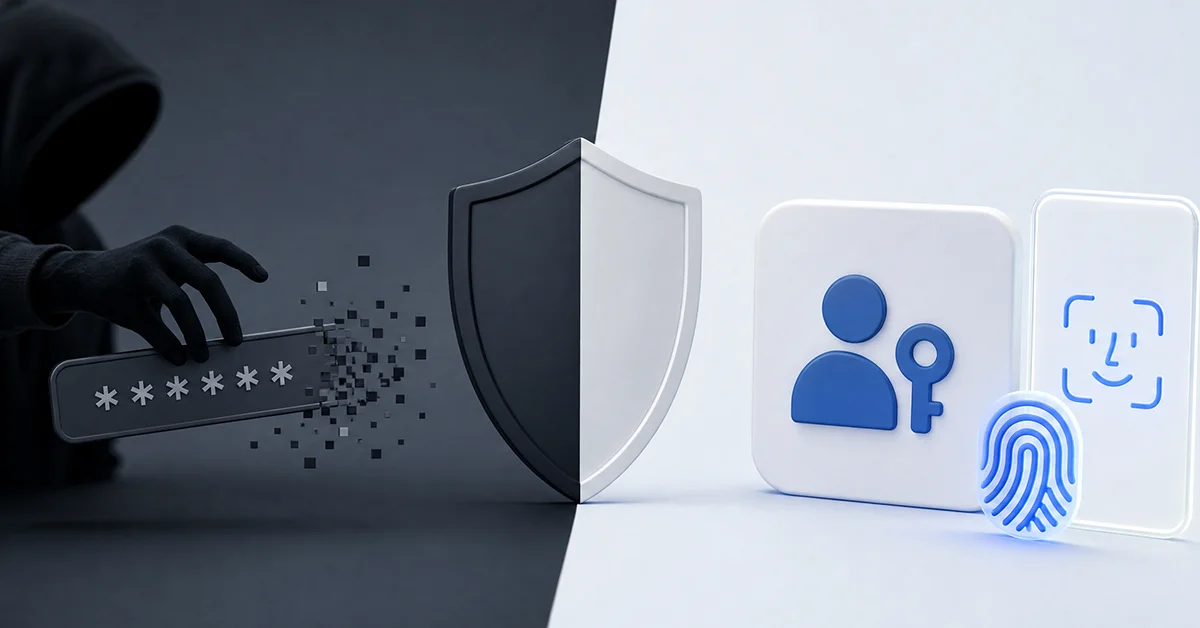
Read as consumer news, that is a small update. Read from the seat of someone running a brand account, it is a change in how the front door works. A password is a secret you hold in your head and can therefore hand over. A passkey is not a secret in that sense at all. Nobody can talk you into revealing something that was never yours to reveal.
That distinction is the whole article. Below, the three reasons, why they hold up against a convincing fake login page, and what an account with customer conversations behind it should check first.
What Changed in WhatsApp Account Security
The announcement carries three separate items, and reading them as three separate items matters. WhatsApp presents passkeys and two step verification side by side without drawing any relationship between them. Neither replaces the other.
| Item | What the announcement states | Who feels it most |
|---|---|---|
| Passkeys | Log back into WhatsApp with fingerprint, face recognition, or screen lock code, with no codes or PINs. More than 1 billion people have set one up. You can now add more than one passkey if you use both Android and iOS | Anyone who signs back in often, and anyone working across two device ecosystems |
| Two step verification | The six digit PIN has been upgraded to a full password, longer, alphanumeric, and able to include special characters | Accounts that want a second layer behind the one time code |
| Caller context | On Android, for a caller not saved in your contacts, you see whether the number is from a different country and whether you have any groups in common | People who take unsolicited calls, which describes most business numbers |
Two things the announcement does not say are worth stating plainly, because guides tend to fill the silence. It sets no character rule for the new password. It gives no menu path for it either, and it says nothing about a PIN you already have in place. If you see a specific character minimum quoted somewhere as official, treat it as unconfirmed.
The passkey item does carry a path, Settings > Account > Passkeys. Menu labels shift between app versions, so treat that as a direction rather than a fixed address.
What Is a Passkey and How Does It Work?
A passkey is the everyday name for a FIDO2 credential built on WebAuthn, an official standard developed by the W3C together with the FIDO Alliance. FIDO2 itself is WebAuthn plus CTAP2. None of that is marketing language. The behaviour comes from the standard rather than from any one app.
When you create one, your device generates a pair of keys. The private key stays on the device, held in its default password manager, iCloud Keychain on Apple hardware or Google Password Manager on Android. The matching public key goes to the service. Signing in means your device proves it holds the private key without ever transmitting it. Passkeys spread on Android first and reached iOS later.
Three things can approve a passkey, and all three count. Fingerprint, face recognition, and the device screen lock code. Plenty of write ups drop that last one, which leaves the impression that a passkey demands biometrics. It does not.
One more limit to keep straight. A passkey is for logging back in. The official wording is exactly that, log back into WhatsApp. It is not a lock on the app itself and not a second layer sitting behind a one time code.

Why Can a Passkey Not Be Phished?
Three properties, and each one closes a door that a password leaves open.
The first is asymmetric cryptography. Your private key never leaves the device. There is no moment in the sign in flow where the valuable half travels across a network, so there is no moment where it can be intercepted or logged.
The second is domain binding. The credential is tied to one specific domain and does not function anywhere else. Picture a copy of a login page that looks correct down to the favicon. You type the password into it, because your eyes approved the page. A passkey does not offer itself at all, because the domain does not match and the browser never finds a credential to present. Nobody asked your judgement.
The third is the absence of a shareable secret. Social engineering works by persuading a person to hand something over. If there is nothing to hand over, the persuasion has no target.
| Attack | Password | Passkey |
|---|---|---|
| Can it be shared with someone who asks convincingly? | Yes | No, there is no shareable secret |
| Can it be guessed or brute forced? | Yes | No |
| Can it be entered on a lookalike site? | Yes | No, the credential is bound to one domain |
| Does the secret leave your device? | Yes | No, the private key stays put |
A password fails all four rows. That is not a criticism of any particular password. Length and complexity help against guessing and do nothing at all against the other three.
How Does a Passkey Differ From a Six Digit PIN?
They answer different questions. Two step verification, now upgraded from a six digit PIN to a full password, exists to stop an account takeover even when someone has obtained your one time passcode. It is a second layer behind the SMS step. A passkey, by contrast, is the sign in itself.
Confusing the two produces bad advice, usually in the form of someone claiming they no longer need the second layer. The announcement makes no such claim and draws no link between the two items.
| Dimension | Two step verification password | Passkey |
|---|---|---|
| Purpose | Extra layer that blocks takeover even if a one time code is obtained | Signing back in |
| What you supply | Something you remember and type | Fingerprint, face recognition, or screen lock code |
| Where the secret lives | In your memory | On the device, in its password manager |
| Can it be typed into a fake page? | Yes | No |
| Format | Longer, alphanumeric, special characters allowed | No user chosen format |
Here is the practical read for a business number. The upgrade from six digits to a full password raises the cost of guessing. It does not change the fact that a password is something a person can be persuaded to type somewhere. The passkey is what changes that.
And one fact worth carrying into every conversation about codes. A WhatsApp verification code goes only to the person installing the app on a device. WhatsApp does not send it anywhere else by accident. Any message asking you to forward a code you did not request is describing something that cannot happen.
Why Would You Want More Than One Passkey?
Because a passkey lives inside one ecosystem's password manager. Apple devices store it in iCloud Keychain, Android devices in Google Password Manager, and those two do not hand credentials to each other. A single passkey therefore covers a single side of your working life.
The update addresses this directly. You can now add more than one passkey to your account if you use both Android and iOS. It is the detail that matters most to anyone who does not work on a single device.
| Setup | Before | With multiple passkeys |
|---|---|---|
| One phone, one ecosystem | One passkey covers everything | No change needed |
| iPhone plus Android tablet | Passkey works on one side only | A passkey on each side |
| Personal iPhone, work Android handset | Fall back to codes on the second device | Both devices sign in the same way |
| Shared account managed by two people on different platforms | Awkward, one side always improvising | Each platform holds its own credential |
Think of a creator who films and edits on an iPhone and answers customer messages on an Android tablet during the day. Before, one of those two devices was always the awkward one. Now both can hold a credential.
For anyone managing a brand presence, the second passkey is also a continuity measure. If one device is unavailable for a mundane reason, a repair or a colleague's day off, the other one still signs in the same way.
What Happens If You Forgot Your Password Without an Email?
Few questions about WhatsApp two step verification come up more often than this one. The guides answering it miss the reason why.
Here is the verified procedure. If you forget the password, you wait seven days before you can reset it. If a verified email address is on the account, WhatsApp sends reset instructions there. WhatsApp cannot shorten the seven days and cannot switch two step verification off for you. No support escalation changes either.
So the answer to the question is uncomfortable but simple. Without a verified email on file, forgetting the password means waiting out the full period. Nothing you do during that week speeds it up.
Now look at where the problem starts. During setup, the email step offers a Skip option. Skipping takes three seconds. It feels harmless, because at that moment you know the password perfectly well, and the consequence only arrives months later, on a day when you do not.
For a brand account, seven days without WhatsApp is not an inconvenience. It is a week of unanswered customer messages and a week of a channel that looks abandoned.
Why Does the Recovery Email Need to Be Verified?
Adding an address is not the same as verifying it. An unverified email address cannot reset two step verification. Most guides on the subject leave that sentence out, which is why people follow the instructions correctly and still find that nothing arrives.
| Email state | Can it reset two step verification? | What it means in practice |
|---|---|---|
| No email added | No | Full waiting period, no shortcut |
| Added but not verified | No | Looks protected, behaves as if nothing is there |
| Added and verified | Yes | Reset instructions are sent to that address |
| Added by someone else after a takeover | Not for you | Recovery routes to an address you do not control |
That last row deserves attention. Whoever gains control of an account can add their own email address to it. The recovery path does not belong to you by default. It belongs to whichever verified address sits on the account at the time, and setting yours in advance, while you hold the account, is what makes the path yours.
The practical takeaway for a business number is a five minute check, done today rather than during an incident. Confirm an address is present, confirm it is verified, and if the account belongs to a company, confirm more than one trusted person can reach it.
What Does an Account Takeover Cost a Business Account?
A personal account holds conversations with people who know you and will believe you when you tell them something went wrong. A brand account holds conversations with people who have no independent way to check.
| Asset | What it holds | Why getting the account back does not undo it |
|---|---|---|
| Customer conversations | Order details, addresses, complaints, payment discussions | Whoever had access has already read them |
| Contact list | Every customer who ever messaged you | The list can be used elsewhere afterwards |
| Brand voice | Messages that appear to come from you | Recipients acted on them before you regained control |
| Channel and group reach | An audience that opted in | Trust drops faster than it was built |
| Business hours and away replies | Automated behaviour customers rely on | Silence during an outage reads as neglect |
Recovery restores access. It does not restore the state of things before the takeover, which is the part most guides skip.
The second layer earns its place on a business number for the same reason. Two step verification exists precisely so that a one time code, on its own, is not enough. Someone holding a code and nothing else cannot complete a takeover, because the password is still missing. A passkey attacks the problem from the other direction, by removing the phishable secret from the sign in step entirely. Neither one substitutes for the other.



Which Settings Should a Brand Account Review First?
None of this needs a long project. It needs one calm pass through the settings screens, ideally on a quiet afternoon rather than during an incident. Menu labels do move between app versions, so look for the name rather than the exact position.
Start with passkeys, under Settings > Account > Passkeys. If you work across both Android and iOS, add one on each side now that WhatsApp allows more than one.
Then look at Linked devices, which lists every session currently attached to your account. Most people have never opened it. For a shared brand account it answers a question worth asking regularly, whether anything is signed in that should not be.
Security notifications, under the account settings, are off by default. Turn them on and WhatsApp tells you when a contact's security code changes. That is context, not an alarm.
App Lock sits under privacy settings and puts a device level check in front of the app itself. On a phone that gets handed around an office, that is a sensible boundary.
Silence Unknown Callers, also under privacy settings in the calls section, is worth understanding correctly. It does not block anything. Your phone stops ringing, and the calls still appear in your calls tab and in notifications. The setting quiets, it does not guard. And it is a separate thing from the new caller context on Android, which shows whether an unsaved number is from a different country and whether you share any groups.
Finally, the recovery email. Present, verified, reachable. Of everything in this list, it changes the outcome of a bad day the most, and it is the one most often skipped.
This article was last updated on 29 October 2026 thursday. Today, 29 visitors read this article.