Does the Person You Are Messaging See Your Chat Wallpaper?
A brand palette on your chat screen looks great on your phone, and that is exactly as far as it travels.
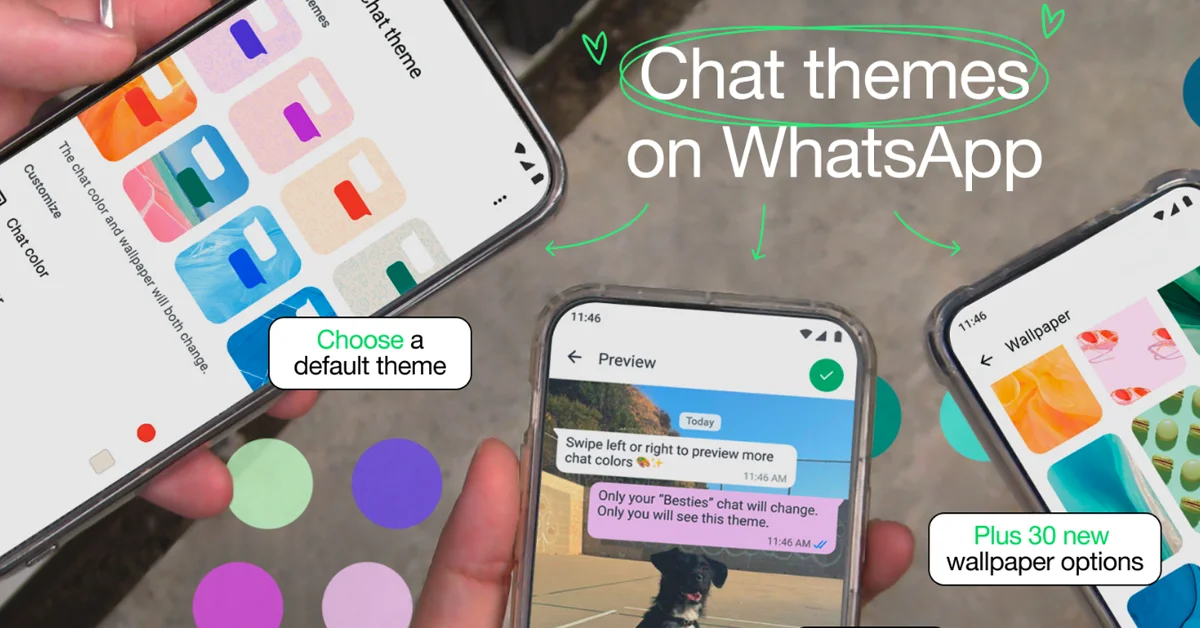
A team finishes a rebrand. New colours, new typeface, a fresh set of background images. Someone on the team asks the obvious question. Can we put this on WhatsApp so customers see our colours when they message us? The question is reasonable. Chat is where a lot of businesses now spend most of their customer contact time, so treating it as a brand surface makes sense on paper.
The answer depends entirely on which app you are talking about, and the differences between apps are larger than most people expect. One platform pushes your background onto the other person's screen. Another shows it to nobody but you. A third sits somewhere in between depending on the version each side is running. Getting this wrong costs real hours, because a designer can spend a full afternoon producing chat backgrounds that no customer will ever load.
WhatsApp is the one that catches people out, and it is also the one most businesses use. Start there, then work outward. The other thing to sort out early is which brand work reaches the customer and which stays on your own device.
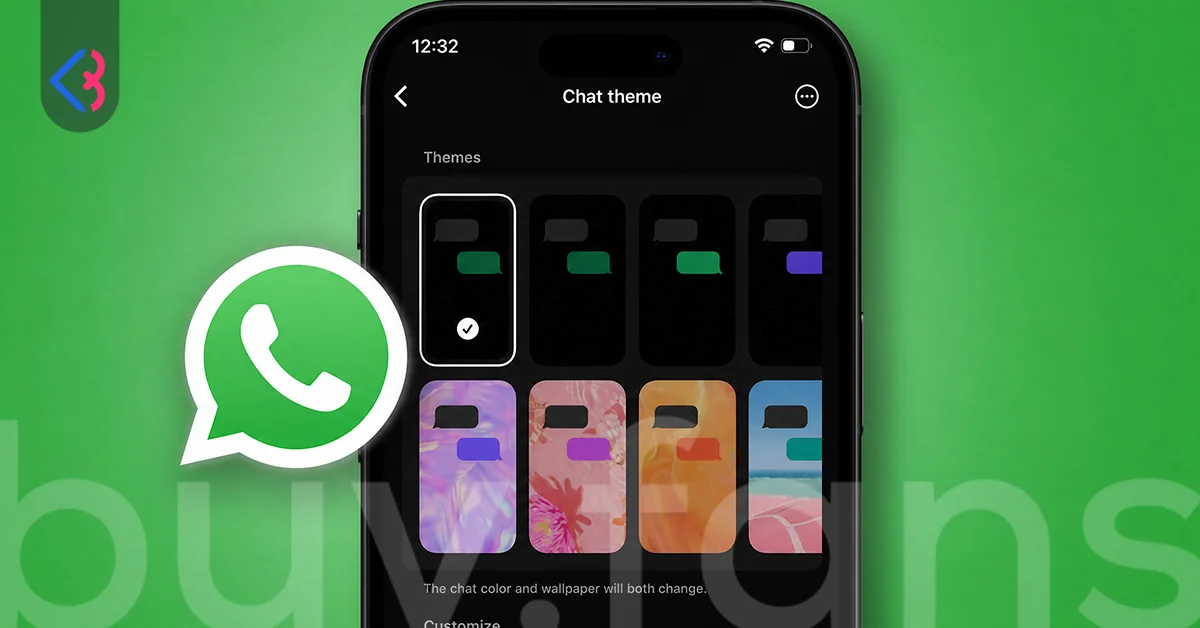
What the New Chat Themes Change for a Business Account
WhatsApp is reportedly rolling out a reworked theme picker on iPhone, organised into categories rather than one long list of images. Sources that review app code and new releases place it in iOS version 26.33.73, on a staged rollout. Plenty of accounts on the current release still see the older interface. Nothing about it has been formally announced, so treat the detail as reported rather than confirmed.
The useful shift for a business account is conceptual rather than cosmetic. A theme is now a package, not a single image. It bundles the background with a bubble colour, so picking a theme sets two things at once. Apply one theme across every conversation, or set a different one per chat. Channels can carry their own theme as well. You can also use a photo from your own camera roll as the background, and that is the route most people reach for when they want a logo behind their messages.
| What you are choosing | What it covers |
|---|---|
| Default chat theme | Applies across all your conversations |
| Per chat theme | Overrides the default for one conversation |
| Channel theme | Applies to a channel you run |
| Background | The image or solid colour behind messages |
| Bubble colour | The fill colour of the message bubbles |
| Your own photo | Any image from your camera roll used as a background |
Picture a two person studio that handles client work through WhatsApp. They could give each retainer client its own background so the right account is instantly recognisable when the phone lights up. That is a genuinely useful setup. It is also, from the client's point of view, completely invisible.
Who Actually Sees Your Chat Wallpaper?
Only you. According to WhatsApp's 2025 announcement, "your chat themes are only visible to you." No setting pushes a theme to the other side, and no premium tier adds one. Whatever background you choose, the person you are messaging keeps whatever they chose for themselves.
For a business account this is the single most important line in the whole subject. You cannot brand the customer's side of the conversation. The customer sees your messages sitting on their own wallpaper, in their own bubble colours, in their own light or dark mode. Your palette work never crosses the gap. Anyone planning a chat theme rollout as part of a brand refresh should learn this before writing the design brief rather than after.
What does cross the gap is a shorter list than most people assume.
| Element | Visible to you | Visible to the other person |
|---|---|---|
| Chat background or wallpaper | Yes | No |
| Message bubble colour | Yes | No |
| Light or dark appearance | Yes | No |
| Your profile photo | Yes | Yes |
| Your business or display name | Yes | Yes |
| Your About text | Yes | Yes |
| The wording of your messages | Yes | Yes |
| Images and files you send | Yes | Yes |
Read that table as a budget. Everything in the right hand column is worth attention, because a customer actually loads it. Everything that stops in the middle column serves your own comfort and organisation, which is a fine reason to bother with it, provided nobody on the team files the work under brand consistency.
Why Does Instagram Work Differently Here?
Instagram chat themes behave the opposite way. Set one there and it applies to the conversation itself, so both people see it. Change the theme mid conversation and the other person's screen changes too. Same parent company, two messaging products, two completely different models of who owns the look of a chat.
The mix up shows up constantly in published coverage. An article opens on Instagram themes, drifts into WhatsApp themes under the same heading, and never flags that the visibility rule flips between the two. A reader who arrived looking for the WhatsApp answer leaves with the Instagram one. If your team has ever said "we already do this on Instagram, so it must work on WhatsApp", that is where the belief came from.
The practical version for a social team is simple enough. On Instagram, a chat theme is a shared surface, so your team can treat it as a small brand touchpoint in DM conversations. On WhatsApp, the same action is a personal appearance setting. Two different tickets, two different owners, and nobody should scope the WhatsApp one as brand work.
Which Platforms Let You Style the Other Person's Screen?
Across the major messaging apps, the rules genuinely diverge. Two say no, two say yes under conditions. Few pages set the four out side by side, which is part of why the question keeps coming back.
| Platform | Does the other side see it | Detail |
|---|---|---|
| No | Per the 2025 announcement, chat themes are visible only to you | |
| Signal | No | Support wording is blunt about it, "Only you. This displays on your screen only." Per chat wallpaper and bubble colour exist, with an option that matches the bubble to the background |
| Telegram | Yes, with Premium | The official API includes a for_both parameter that sets the wallpaper for both users of the chat without requiring confirmation from the other user. A revert parameter lets the recipient undo it on their own side |
| iMessage | Yes | According to Apple, conversation backgrounds introduced with iOS 26 appear for other people in the conversation, who need to be on iOS 26 as well |
Telegram is the interesting case for anyone thinking commercially, because it is the only one of the four where you send a background rather than merely set one. The recipient still gets a way out. The revert parameter sits in the same API documentation as for_both, so the escape hatch arrived with the feature itself.
Timing explains part of the gap. Telegram shipped chat themes in 2021 and per chat wallpapers after that. WhatsApp introduced chat themes in February 2025, and motion backgrounds are only reportedly arriving now.
What Brand Work Is Worth Doing Anyway?
Take the visibility table and turn it into a work plan. Anything on the customer's screen deserves care and a consistency check. Anything on yours is housekeeping. Sort the tasks that way and the list of work that genuinely needs design attention gets a lot shorter.
| Task | Reaches the customer | Verdict |
|---|---|---|
| Custom chat background with brand imagery | No | Personal preference only |
| Matching bubble colour to brand palette | No | Personal preference only |
| Different theme per client conversation | No | Useful for your own sorting |
| Profile photo cropped and legible at small size | Yes | Do it properly |
| Business or display name spelled consistently | Yes | Do it properly |
| About text with hours and scope | Yes | Do it properly |
| Reply templates and tone of voice | Yes | Highest return of the set |
| Branded frames on images you send | Yes | Worth a template |
The last row is where most of the missed opportunity sits. Every image you send lands on the customer's screen at full size, and an image is a background you control. A quote sheet, a delivery confirmation or a product shot with a consistent frame and colour block does more brand work in one message than a wallpaper ever could, because it travels.
Consider a bakery taking orders through WhatsApp. It cannot colour the customer's chat screen, but it can send order confirmations as a simple branded card with the same typeface and colour every time. Six months of that builds recognition. Six months of a themed background builds nothing outside the owner's own phone.
Why Does WhatsApp Pick the Bubble Colour for You?
When you select a theme, WhatsApp assigns a bubble colour automatically, chosen to sit legibly against the background that came with it. A background and a bubble fill too close together in tone produce message text you have to squint at. People pairing images with colours by hand hit that outcome fairly often.
The automatic pick is a starting point, not a lock. You can change the bubble colour manually from the theme controls, so adjust it if the assigned colour clashes with something you care about. Just do not assume the manual choice is as safe as the automatic one. The moment you override it, contrast becomes your problem, especially with a photo of your own where the tones vary across the frame.
There is a wider lesson for anyone building a brand palette for screen use. If your colours only work against pure white, they will struggle anywhere the background can change, and a chat screen is exactly that kind of place.
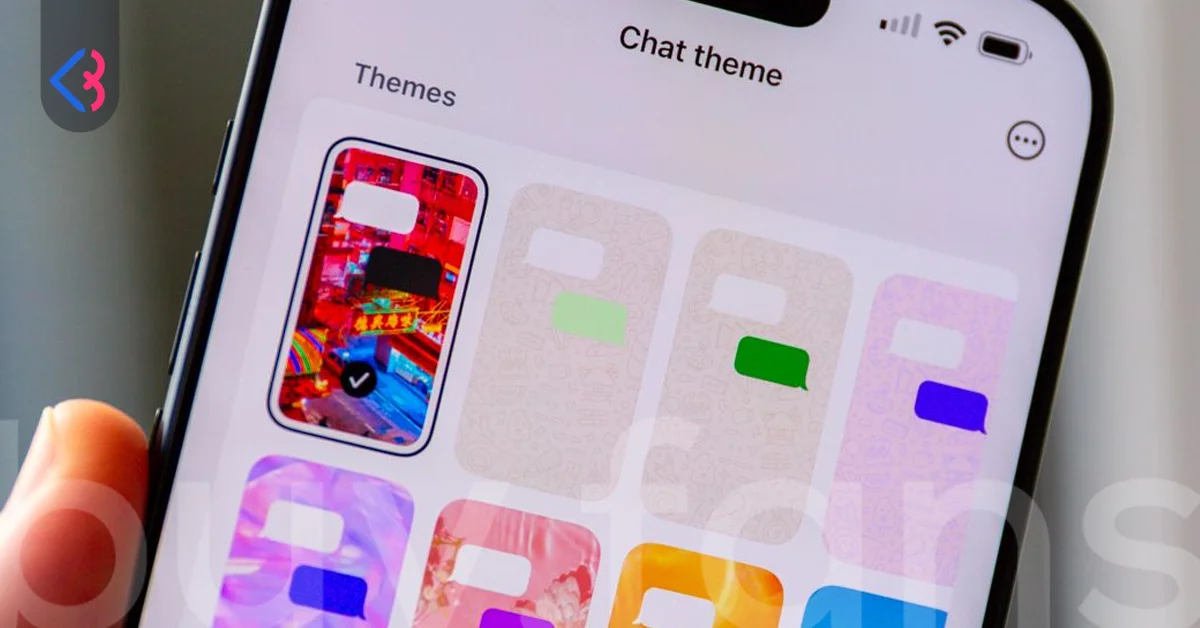
How Do You Keep a Branded Background Readable?
Message text is small, it sits in bubbles of two different colours, and it has to stay readable in both light and dark appearance. A photographic background makes all three harder, because tone varies across the image and text that reads cleanly in one corner disappears in another. Busy patterns cause the same trouble in a quieter way, since the eye keeps catching on detail behind the timestamps rather than settling on the words.
| Background choice | Readability risk | What to check |
|---|---|---|
| Solid colour | Low | Tone distance from both bubble colours |
| Minimal style background | Low | Behaviour in dark appearance |
| Doodle pattern | Low to moderate | Pattern density behind timestamps |
| Nature photograph | Moderate | Bright sky areas against light bubbles |
| Your own logo image | Moderate to high | Contrast across the whole frame, not one spot |
| Detailed photo with faces or text | High | Everything, honestly |
If you do want your own image, the version that works is usually much plainer than the one the designer hands over. Take the brand colour, flatten it, drop the logo to low opacity in a corner where bubbles rarely land, and leave the rest empty. Then scroll a long conversation in both light and dark appearance before deciding you like it.
One habit helps. Check the screen at arm's length with the brightness low, the way people actually read messages on a train or in bed. Contrast problems invisible at desk brightness show up straight away.
What Are the Five Theme Categories?
On iPhone, the reworked picker is reported to group backgrounds into five categories. Nothing here is officially announced, so read it as a description of what has been observed rather than a published feature list.
| Category | What it holds |
|---|---|
| Featured | A selection pulled from the other categories |
| Nature | Outdoor scenery such as mountains, forests and ocean views |
| Live | Backgrounds with slow movement, marked with a small Live badge |
| Minimal | Plain fills, light in light mode and dark in dark mode |
| Doodle | The familiar pattern many users already know |
Android is a different story. The feature has not shipped there, the work appears to still be in development, and only three categories have been spotted on that side. If half your team is on Android and half on iPhone, expect the picker to look different between them for a while yet.
Why Are Third Party Theme Apps a Risk to Your Account?
Search for chat backgrounds and you will quickly find apps and modified clients promising theme options the official app does not have. For a business account, the cost of a problem here is operational rather than cosmetic, so the trade is worth understanding before anyone installs anything.
| Concern | What it means in practice |
|---|---|
| No official store review | Files distributed outside Google Play and the App Store are not checked before you install them |
| Data access | Developers of a modified client can reach message and contact data passing through it |
| No security patches | Known weaknesses stay open because updates do not arrive on the normal schedule |
| Account restriction | Accounts using unofficial clients can be restricted temporarily or permanently |
That last row is the one that matters commercially. Meta supports the builds distributed through Google Play and the App Store, and nothing else. If the number your customers message is running through an unofficial client and that account gets restricted, you lose the conversation history and the contact route at the same time. For a business where orders arrive by chat, that is an operational outage, not an inconvenience.
None of it is necessary anyway. No appearance option is worth putting a working business number at risk for, and the official app already covers themes, per chat backgrounds, bubble colours and your own photos. The feature set keeps expanding on its own.




What Should You Tell the Team When They Ask?
Keep the answer to three lines. On WhatsApp, your chat theme is yours alone and never reaches the customer. On Instagram, it does reach them. Telegram allows it with Premium, and iMessage allows it when both sides run iOS 26.
Then redirect the energy. The profile photo, the display name, the About text, the wording of replies and the images you actually send are the parts of a WhatsApp conversation a customer sees. You can make every one of them consistent this week without waiting for a rollout. A themed background is a nice thing to have on your own screen, so treat it as that, and spend the design hours where somebody else is looking.
This article was last updated on 04 November 2026 wednesday. Today, 19 visitors read this article.