Do Threads Bio Emojis Actually Help Your Profile?
Emojis and the reported bio stickers change how fast your profile reads, not how far it travels. Here is where each one earns a place on a creator profile.
Emojis in a Threads bio earn their place when they speed up reading, and they cost you when they stand in for a word a visitor needs. A Threads bio emoji works as punctuation, as a flag for your niche or as a marker of tone. What it does not do is put your profile in front of more people. Meta describes no such effect on any of its help pages, and neither does anything published about the app.
Threads gives that bio very little support. There is no cover image and no banner to carry a message for you, so the Bio field does almost all of the explaining. Decide what that field has to say first. Only then decide whether an emoji or a sticker deserves one of the characters.
What follows is for creators, small brands and freelancers whose profile has to turn a visitor into a follower. It covers emojis, the bio stickers reported on 22 September 2026, styled text, and where your links belong instead. There are no editing steps here, only decisions and the reasoning behind them.
What Does a Threads Bio Actually Do for a Visitor?
A Threads bio answers one question for someone who has just tapped your name. It tells them what you post and why staying is worth it. The profile gives you very little else to work with. According to Meta's help pages, the fields you can edit are Name, Username, your profile picture, Bio and Link, reached through Edit profile and confirmed with Done.
Nothing sits above the bio to help it, since the profile has no cover image and no banner. A visitor gets a picture, a name and a couple of lines. Length matters too. Anyone searching for a threads bio character limit runs into a figure Meta never published. The field is reported to stop at around 150 characters, and that number comes from outside counters rather than from Meta.
Write for the first line and treat everything after it as a bonus. A visitor scanning a text feed gives your profile a second at most, often while a conversation is still open behind it. Every character that does not tell them what you post is working against you, and that includes decorative ones.
Do Emojis in a Threads Bio Help or Hurt?
Emojis help when they carry a job a word would do more slowly, and they hurt when they replace the word entirely. A pin next to a city name reads instantly. A pin on its own leaves the visitor guessing which city you mean, and guessing is the opposite of what a bio is for.
| Use case | Verdict | Why
|
|---|---|---|
| One emoji separating two short phrases | Use it | Breaks a dense line without spending a word |
| An emoji standing in for a word | Skip it | Meaning shifts by device, and a screen reader reads the symbol name |
| A full row of emojis | Skip it | Eats the first line and says nothing about what you post |
| An emoji instead of contact details | Skip it | An envelope is not an address, and nobody can tap it |
| One emoji as a niche signal | Use with care | Works only when the symbol is unmistakable in your field |
None of these choices changes your distribution. Meta claims no ranking effect for emojis in a Threads bio, and its help pages describe profile search as running on Name and Username. No official statement says bio text feeds search or the feed. A guide promising reach from an emoji is inventing the benefit.
Treat emojis as typography rather than growth. The gain is scanning speed and a little personality, which is worth having on a profile built from plain text. Judge each one by a single test. If a visitor understands your profile faster with the emoji than without it, keep it.
Are the New Threads Bio Stickers Worth Using?
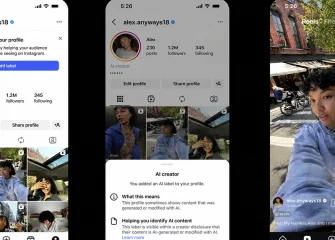
Threads bio stickers are worth a try on a personal account and worth skipping on a brand profile for now. One user reported animated and static stickers in bios on 22 September 2026. Meta made no announcement, published no steps and described no rollout, which leaves the feature reported rather than released.
Stickers themselves are not new to the app. Animated stickers inside posts were announced on 7 May 2026 and began as a test in selected regions. The bio version appears to be following the same gradual pattern, which means it may not be in your app at all. Anyone hunting for threads stickers after reading the coverage may find nothing in their Edit profile screen, and that is expected behaviour rather than a fault.
The decision splits by account type. On a personal account an animated sticker costs nothing and adds movement to an otherwise plain profile. A brand profile is a different matter, because a feature with no documentation and no stated rollout can change or vanish while people are judging you on it. Nothing published says stickers affect reach either, so there is no growth argument for chasing one. If the option does appear, test it on a secondary account before it goes anywhere near the profile that sells.
Which Is Better for a Threads Bio, Emojis or Styled Text?
Emojis win this comparison on every measure that matters to a creator profile. Threads has no built-in font feature, so the styled text you see in bios is a block of Unicode characters pasted in from somewhere else. The letters look like a font, but the app never formatted them. They are separate symbols wearing the shape of letters.
That difference shows up the moment someone uses a screen reader. Emojis have names and get read out. Styled characters can be read letter by letter, given odd names or skipped completely, which is an accessibility practice worth following rather than a Meta rule. Never put contact details, a location or a link label in styled text, because those are the lines a visitor most needs to read.
| Option | How it reads | When to use
|
|---|---|---|
| Plain text | Read correctly everywhere | Anything a visitor has to act on |
| One emoji as a separator | Read out by name | Splitting a long line into two ideas |
| Styled Unicode text | Letter by letter, or skipped | Decoration only, never for details |
| A row of symbols | Mostly noise | Not on a profile that has to convert |
Pick plain text for the message, one emoji for the rhythm, and leave styled text out of anything you want read. A profile that looks clever and reads badly loses the visitor who was closest to following you. Most threads bio ideas collected online get this backwards, dressing words up instead of sharpening them.
Where Should Your Links Go Instead of the Threads Bio Text?
Links belong in the link field, not inside your bio sentence. Threads has allowed up to 5 links on a profile since 15 May 2025. They sit in their own area under the bio, and they do not spend the characters your bio text is working with. That separation is the whole reason to keep URLs out of the Bio field.
Typing an address into the bio wastes space twice over. It fills the line a visitor should be reading, and it hands them something to copy rather than tap. Put the destination in the Link field and use the bio to say why opening it is worth their time. One sentence of reason beats one line of URL every time.
Having 5 slots does not mean filling 5. Rank them by what you actually want someone to do next, then stop when the list gets weak.
- The page that earns money, whether that is a shop, a booking form or a client enquiry page.
- The place you want people to subscribe, such as a mailing list or a channel you publish on weekly.
- The single piece of work you would show a stranger if you only had one chance.
A dormant page in a link slot is worse than an empty slot. It tells a visitor the profile is not maintained, and that impression carries back to your posts.
Does the Threads Bio Have to Match the Instagram One?
Your Threads bio and your Instagram bio are separate fields, and neither one updates the other. During setup, Import from Instagram copies your existing details across once. After that the two live apart, so an edit on Threads leaves your Instagram profile exactly as it was. Anyone reporting a threads bio not changing on Instagram is seeing the system work as designed.
The Threads badge on an Instagram profile is a different thing again. It points people from one app to the other and has nothing to do with the text in either bio. Treat the badge as a signpost and the bio as the message.
| Question | Threads bio | Instagram bio
|
|---|---|---|
| Does an edit here change the other? | It does not | It does not |
| Where does the first version come from? | Import from Instagram, once at setup | Written on Instagram |
| Who is reading it? | People scrolling text posts | People scrolling photos and video |
| What should it lead with? | What you post and talk about | What you show |
Write the Threads version for the audience in front of it. People arrive from a text feed, usually mid conversation, having read one reply of yours and nothing else. A bio that answers what you post about will convert that visitor better than a caption voice carried over from another app.




What Belongs in a Threads Bio That Converts?
A bio that converts answers a short set of questions. Who you are, what you post, the one action you want, and where that action lives. Anything that does not serve one of those is decoration, and decoration is expensive in a field this short.
| Line | What it does | Rule
|
|---|---|---|
| Who you are | Gives the visitor a person or a brand to follow | Plain text, first line |
| What you post | Sets the expectation for your feed | Name the subject, not the job title |
| The one action | Tells them what to do next | One action only, never three |
| Where it lives | Sends them to the Link field | Up to 5 slots, ranked by value |
| Personality | Adds tone and rhythm | One Threads bio emoji at most, as a separator |
Styled text stays out of every row in that table. So does a second action, because a bio asking for a follow, a click and a reply usually gets none of the three. A profile written for threads bio for business use has the same shape as a personal one, only with the action stated more plainly.
The call on emojis and stickers comes down to a short list.
- Use one emoji when it separates two ideas or flags your niche, and cut it the moment it replaces a word.
- Skip the row of emojis, the symbol standing in for contact details, and any styled text a screen reader cannot handle.
- Treat the bio sticker as reported rather than released, and keep it off the profile that has to look stable.
- Expect nothing from either one in reach, because nothing Meta has published promises it.
This article was last updated on 06 November 2026 friday. Today, 40 visitors read this article.