How Long Can A WhatsApp Status Song Be Right Now?
The help page still says 15 seconds. The picker many people now see stops at 30.
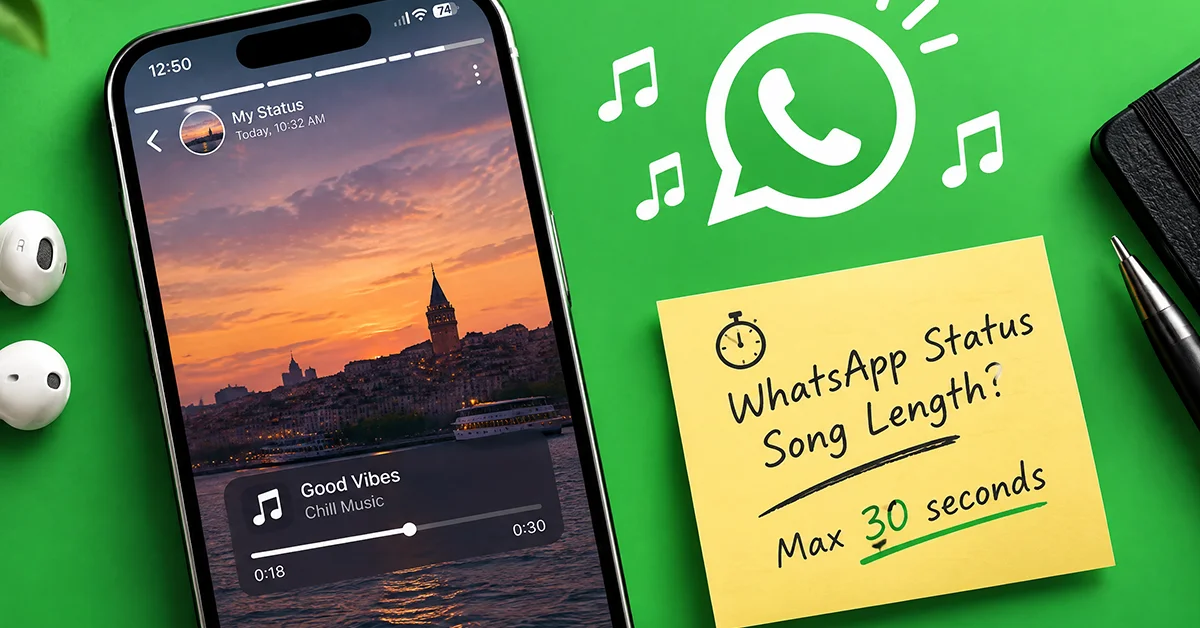
The short answer is 15 seconds on paper and 30 seconds in practice for a growing share of accounts. WhatsApp's help documentation still lists 15 seconds as the music limit on a photo status, while a 30-second clip picker is reported in gradual rollout for photo and music-only status. On a video status the song runs for as long as the video does, and video status itself stops at 90 seconds.
That gap between the official page and the app on your phone explains most of the confusion. No blog post or newsroom entry has described a longer limit, yet a confirmed increase is widely repeated in coverage, and some of that coverage prints a figure that no source supports. The careful version is shorter. The picker exists, outlets that track beta builds report it spreading account by account, and the help page has not caught up.
Treat the number as a decision rather than a headline. If you post a photo from a weekend trip, the difference between 15 and 30 seconds changes which part of the song you pick. If you run a small shop or a creator account and use status to stay visible to clients, it changes how you plan a week of updates, and it does nothing to lift the catalogue restriction that applies to WhatsApp Business accounts.
Is The Music Limit Really 30 Seconds Now?
For many accounts, yes, but the official figure has not moved. Outlets that track beta builds report a 30-second clip picker appearing in a gradual rollout, and it sits in the same place the 15-second picker used to, on photo status and music-only status. The help page, checked on 11 September 2026, still says you can add up to 15 seconds of music to a status that contains an image.
The distinction matters because the claim that WhatsApp confirmed the change is widely repeated in coverage, and none of it links to an official source. A few pieces inflate the figure well past 30. Nothing in the official blog, the Meta newsroom or the help text supports a confirmation, let alone a larger number. What exists is a picker that some users see and others do not yet.
So the practical test is your own phone. Open the Updates tab, start a photo status, tap the music note and check how long the selected section can run. If your picker still stops at 15 seconds, your account has not received the rollout, and the official help text already covers that case with a line about the feature arriving in stages, with some parts not yet available to everyone. Nobody has published a date for when the longer picker reaches every account, so plan around what your phone shows today.
Photo, Video And Music-Only Status Compared
The limit depends on which kind of status update you post, and the main types behave differently enough that a single number misleads. A photo status carries a clip you cut from the song, and a video status carries the song for the length of the footage. Music-only status is different again, since the track plays by itself, started from the Music option in the Updates tab, with nothing underneath it.
| Status type | Song length | Clip picker | Stays visible for | Where the figure comes from |
|---|---|---|---|---|
| Photo status | 15 seconds in the help page, 30 seconds reported in rollout | Yes | 24 hours | Help documentation for 15, gradual rollout reports for 30 |
| Video status | Runs for the length of the video, and video status is capped at 90 seconds | No | 24 hours | Help documentation |
| Music-only status | 15 seconds in the help page, 30 seconds reported in rollout | Yes | 24 hours | Same sources as photo status |
| Text status | Music listed for Android, not listed for iOS | Yes on Android | 24 hours | Help documentation, platform tabs differ |
| Layout status with several photos | Same as photo status | Yes | 24 hours | Help documentation |
| GIF status and voice status | No music option | No | 24 hours | Help documentation |
Video is the odd one out. WhatsApp's help documentation says the song plays for the video's duration and caps video status at 90 seconds, so the way to control music length on a video is to trim the footage before you add the track. The same page does not say what happens to the video's original audio once a song is attached, so test it before you assume the recording goes silent or stays audible.
Platform limits apply to every row. The feature lives only in the iOS and Android apps, the web client and the desktop apps for Windows and Mac do not offer it, and HD media is not supported in status at all. A song you attach on your phone plays for viewers on their phones, and that is the whole distribution path.
What Does The 30-Second Picker Change?
It lengthens the slice of a song you can attach to a photo or music-only status, and that is the entire change. The clip picker works the way it did before, in that you slide along the progress bar to choose where the section begins and the highlighted stretch is what viewers hear. The original limit came from WhatsApp's 28 March 2025 blog announcement, which set 15 seconds for photos and full video length for videos, and the reported picker moves only the first of those.
| Area | Before the picker | With the 30-second picker |
|---|---|---|
| Photo status clip | 15 seconds | 30 seconds, reported in gradual rollout |
| Music-only status clip | 15 seconds | 30 seconds, reported in gradual rollout |
| Video status | Song runs for the video length, up to 90 seconds | Unchanged |
| Status visibility | 24 hours, then gone | Unchanged |
| Catalogue | Licensed library inside the app, no transfer from outside music apps | Unchanged |
| Platforms | iOS and Android apps only | Unchanged |
| Business accounts | Restricted access to licensed music | Unchanged |
In practice the extra room changes what a clip can be. Before, you picked a hook. Now you can take the line before the chorus and the chorus itself, or an intro build that lands on the photo, or a verse that carries a caption from start to finish. The picker also makes silence a choice, since you can start the section on a quiet bar and let the drop arrive while the status is still on screen.
What it leaves alone is everything around the clip. The licensed catalogue is the same library, browsed under Popular, Genre and Mood tabs, and there is still no way to pull a track from an outside music app into a status. The 24-hour lifespan has not moved, and neither has the video cap. Whether your account has the picker at all still depends on the rollout, not on any setting you can change.

Can A WhatsApp Business Account Add Music To Status?
Yes, but from a smaller catalogue. WhatsApp's help documentation states that access to licensed music is restricted for business accounts and that your music selection may be limited when using the WhatsApp Business app. The restriction applies before the 30-second question even comes up, because a song you cannot select has no length to choose.
The help page does not explain the reasoning, and it is safer not to guess at contract details. The pattern does match how licensed music generally works, in that rights holders treat personal sharing and commercial promotion differently, and a business profile signals the second. In practice this can mean a shorter list when you open the music browser from a Business account, or a track a friend used on a personal profile not appearing for you.
If you rely on status to keep a shop or a service in front of clients, plan around the catalogue you actually see rather than the one described in general coverage. Check the track before you design a post around it, keep a fallback in mind, and remember that photo and video status without music are unaffected. The restriction is about the music, not about status itself.
Why Does The Song Catalogue Differ By Country?
Because regional licensing decides what appears, and licences change. The music library inside status is Meta's licensed catalogue rather than a link to a streaming service, and the help page says the feature is not yet available in some countries and that music availability may vary by country. There is no published list of supported countries, so the reliable check is whether the music note appears when you create a status.
The same documentation gives the reasons a song can drop out of the catalogue, a licensing change or a regional restriction. A track you used last month can be gone this month with no notice, and the Popular tab is built per country, so the list a cousin abroad sees will not match yours. The catalogue is a moving target by design.
For anyone planning a series of updates, that argues against building a recurring format around a single song. Treat a track as available today rather than as a fixed asset. If a status series depends on a particular artist, the safer move is to keep the visual template stable and let the music vary, which also feels less repetitive to contacts who see your updates every day.
How Do You Stay In Front Of Contacts Without Spamming Them?
Post less often than you think you should, and make each update carry a single idea. Status reaches people who already have your number, which makes it a channel for people who know you rather than a discovery feed. That cuts both ways. Your updates land where attention already exists, and the same people can mute you the moment the stream starts to feel like advertising.
A steady rhythm is easier for contacts to live with than bursts. A single update a day, or a handful across a week, keeps you present without turning the Updates tab into a run of promotions. Music is the tone of the post, not its message. If a contact would understand the update with the sound off, the song is doing its job, and if the song is the only content, that belongs in a music-only status shared sparingly.
Clip length is one of the decisions, and it changes with the use case.
| Use case | Clip length to pick | Why this length |
|---|---|---|
| A personal photo from a trip or an evening out | The full 30 seconds if your picker offers it | The song sets the mood, and viewers who linger get the whole passage |
| A product photo from a small shop | Shorter than 15 seconds, a single hook | The image and the price are the point, and a long clip adds nothing to them |
| A music-only status recommending a track | The full 30 seconds | The song is the content, so give it the whole window |
| A video status with a spoken message | No picker, trim the video instead, within the 90-second cap | Music follows the video length, and a shorter video keeps the message tight |
| A text status on Android | Shorter than 15 seconds | Reading time is brief, and the clip should end when the reading does |
| A client-only announcement shared with a chosen list | Shorter than 15 seconds, or no music at all | A business audience wants the information, and the Business catalogue may not offer the song anyway |

Who Can See The Song On Your Status?
Only the audience you choose under status privacy, and WhatsApp itself cannot see which song you picked. Status is end-to-end encrypted, so the track you attach is as private as the photo it sits on. Meta receives anonymous information in order to pay rights holders, which is how the licensed catalogue is funded without exposing who posted what.
The audience settings live in the Updates tab under Status privacy, with the options My contacts, My contacts except... and Only share with..., plus an Allow sharing switch. Changing the setting does not alter a status you already posted. The new audience applies from the next update onward, so set it before you post rather than after.
| Privacy option | Who sees your status | Fits best with |
|---|---|---|
| My contacts | Everyone saved in your contacts | Personal sharing and casual creator updates |
| My contacts except... | All contacts minus the people you exclude | Keeping work contacts out of personal posts |
| Only share with... | Only the people you select | Client lists, close friends, or a test audience before a wider post |
Viewers get their own set of controls. Someone watching your status can tap the song title and choose Add status with music, which starts a new status of their own with the same track. They can also open the menu and pick View artist, which may take them out of WhatsApp. Neither action tells you who reused the song, and neither depends on the clip length you chose.






Choosing A Shorter Clip Than The Full 30 Seconds
The full 30 seconds is an option, not a default, and the better clip is often shorter. The help page does not say how long a photo status stays on screen, and it is reported that a photo with music plays for the length of the attached clip, so a long clip can also mean a long status. Viewers can tap forward at any moment, which means the opening seconds do most of the work no matter what you selected.
A shorter clip serves a status well when the sound has a single job, such as a lyric that echoes the caption, a beat that lands on the photo, or an intro that stops exactly when the viewer has finished reading. The picker lets you slide to any point in the song, so choose the moment first and the length second. If the moment lasts a few seconds, you do not need the rest.
The full window makes sense when the song is the reason for the post. A music-only status, a mood post with a single image, or a passage you want a friend to hear from start to finish all benefit from every second the picker allows. Everything disappears after 24 hours either way, so the cost of choosing wrong is low, and the fastest way to learn what suits your contacts is to post a shorter clip one day and a longer one the next and notice which one you would post again.
This article was last updated on 23 October 2026 friday. Today, 19 visitors read this article.