Do You Need A Second Phone For Two WhatsApp Accounts?
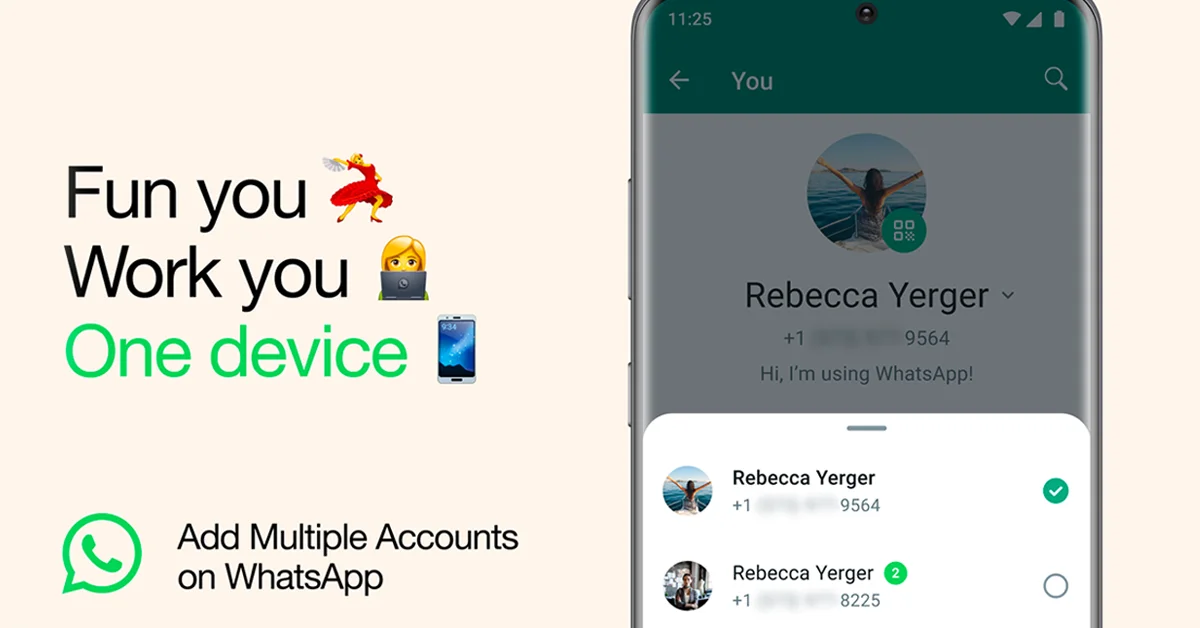
You do not need a second phone to run two WhatsApp accounts on one phone. The regular WhatsApp app has held two accounts side by side on Android since WhatsApp's 19 October 2023 blog announcement, and on iPhone since WhatsApp's 26 March 2026 blog announcement. What you do need is a second number that can receive a verification code once.
That distinction is where most of the confusion lives. Older guides, some of them refreshed this year, still tell iPhone owners to pick between WhatsApp Business and a clone app, and the three accounts headline circulating this week adds a layer on top. Keep the two layers apart. The two-account feature is documented and live. The three-account option is a beta report, nothing more.
If you are a creator or run a small business with a personal number and a work number, the question is rarely whether the app can do it. The question is whether your situation is one of the few where a separate device still wins. Those cases exist, but they are about people and policies rather than about what WhatsApp can hold.
Why Is A Second Number The Real Requirement?
Because a WhatsApp account is verified by exactly one phone number, a second account means a second number. WhatsApp's help documentation states that an account can be verified with only one registered phone number and that adding a second number to an existing account is not possible. There is no setting that changes this. The number you register with becomes the account's identity, its login and the thing your contacts see.
The claim that two accounts can share one number is widely repeated in guides, and it is simply wrong. What those guides usually describe is either a linked device, which is the same account on another screen, or a clone app pretending to be a second install. Neither creates a second account. Only a second number does.
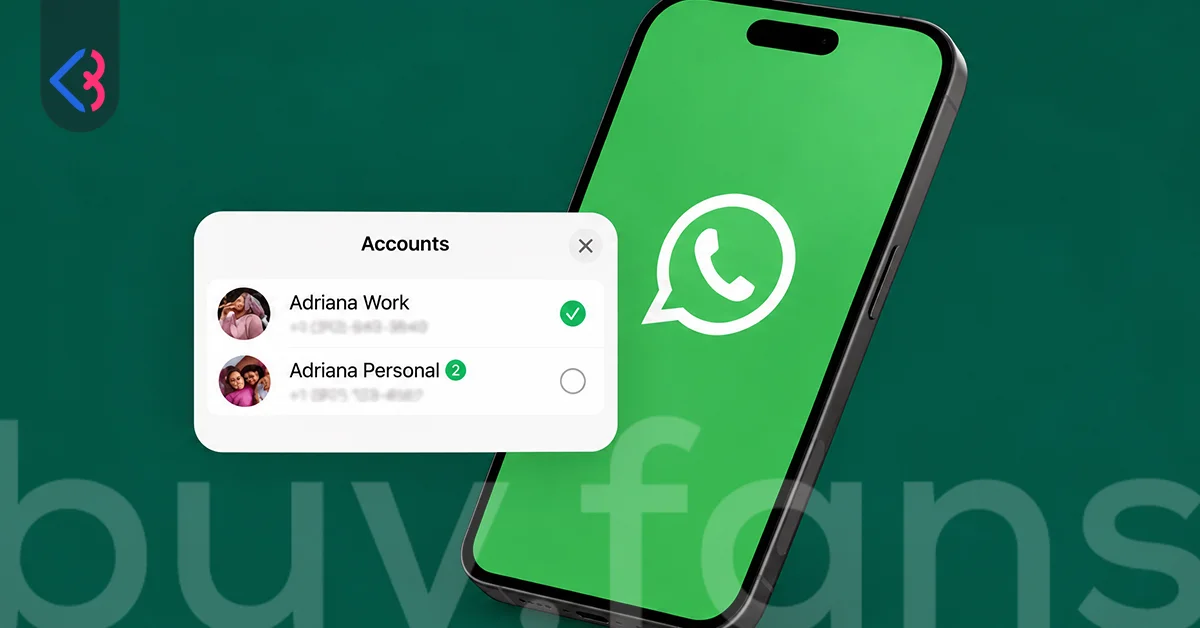
The actual checklist is shorter than most people expect. You need a number you control, a way to receive the verification code on it by SMS or call, an up-to-date WhatsApp on Android or iPhone, and the phone you already use as your primary device. The help page adds that a secondary account can only be created on your primary mobile device, so the setup happens on the phone in your hand rather than on a tablet or a computer. Once the number is ready, the option sits under the icon next to your name in Settings, labelled Add account.
| You need this | You do not need this |
|---|---|
| A second phone number that you control | A second phone |
| A way to receive the verification code on that number, by SMS or by call | A second copy of the WhatsApp app |
| An up-to-date WhatsApp on Android or iPhone | WhatsApp Business used as a workaround |
| Your existing primary mobile device, because the secondary account is created there | A clone app or a built-in app duplication feature |
| A number that is not already registered to your first account | A spare physical SIM slot, since an eSIM works |
Look at what is missing from the left column. Nothing about hardware, nothing about a second SIM tray, nothing about a second app. The account belongs to the number, and the number is the only new thing you bring.
Does It Matter Whether You Use A Physical SIM Or An eSIM?
No, WhatsApp does not care which form the number takes. WhatsApp's help documentation says the app is tied to the phone number you used when registering, not to a specific SIM card or SIM slot. A physical SIM and an eSIM are treated identically, because the app only needs the number to exist and to receive a code. That single sentence in the documentation is what makes a second phone unnecessary for most people.
If your phone supports dual SIM, the simplest route is to put the work number on the second line, whether that line is a plastic card or an eSIM profile from your carrier. If your phone has one slot and no eSIM support, you are still not forced into a second device. The verification code has to reach the number during setup, and the official wording implies the SIM does not have to stay in the phone once the account is verified.
One caution on the choice of number. Because the account is tied to the number for its whole life, pick one you expect to keep. A temporary or borrowed number will verify fine today and cause trouble the day you move to a new phone and need to register again. For a second account on an eSIM, that usually means a proper second line from your carrier rather than a short-term virtual number.
What Stays Separate And What Is Shared Between The Accounts?
Everything a contact could notice stays separate, and everything about the app itself is shared. WhatsApp's own documentation lists the per-account items directly: each account keeps its own profile picture, its own About text, its own notification preferences and its own privacy settings. Chat history is kept apart too, so a work thread never shows up in the personal chat list, and the reverse is equally true.
Notifications are the part people worry about, so they deserve a closer look. The help page says you still receive notifications for incoming messages and calls on the account you are not currently using, and you switch to that account to read the content. For a call arriving on the inactive account, you can ignore it or switch accounts and then answer or decline as usual. Being on the personal account does not make the work account go silent.
| Stays separate, one per account | Shared by both accounts |
|---|---|
| Chat history and the chat list | The single WhatsApp install and its updates |
| Profile photo and About text | The phone's storage, camera, microphone and contacts permissions |
| Notification preferences | The primary device role, since a secondary account is created only on the primary phone |
| Privacy settings | The two-account ceiling set in the official documentation |
| Linked device pairing, done from inside each account | App lock behaviour, which the documentation does not describe on a per-account basis |
| Chat backup, which the removal flow handles per account, though full separation is not spelled out | Platform limits, such as payment linking being unavailable on iOS secondary accounts |
One asymmetry matters for iPhone users. The same documentation notes that some features, such as linking a payment method, are currently unavailable on secondary accounts on iOS. If the work number is the one that needs those features, it should be the primary account rather than the secondary one, or it needs its own device.

Is WhatsApp Business The Second Account Route?
No, WhatsApp Business is a separate app with its own number, not a second account inside WhatsApp. The idea that Business was built as the second-account solution is widely repeated in guides, and it comes from the years when iPhone had no official multi-account option. Business and the regular app can run side by side on one phone, each registered to a different number, and for some people that pairing is exactly right. It is still two apps with two icons, though, rather than one app with a Switch account option.
Inside the Business app the multi-account feature does not exist. WhatsApp's help documentation states that account switching is currently unavailable in the WhatsApp Business app. Outlets that track beta builds report seeing a two-account option in an Android Business beta on 13 July 2026, but nothing official has changed. Until that changes, a second number cannot be added inside Business; it goes into the regular app or onto another device.
So the honest framing of WhatsApp Business vs second account is a question of tools, not of hardware. Choose Business if the work number needs the business-facing profile and messaging tools that app offers. Choose a second account in the regular app if you simply want two numbers and two chat lists behind one icon. Neither choice asks you to buy a second phone.
Can Linked Devices Switch Between Accounts?
Only mobile secondary devices can switch; WhatsApp Web and the desktop app stay tied to one account. This is where multi-account and multi-device get tangled, and the tangle is widely repeated in guides. Multi-device means one account open on several devices. Multi-account means two accounts on one phone. They are separate features with separate rules.
The help page says you can link a paired device to your secondary account and that switching between accounts is possible only with mobile secondary devices. For a laptop, that means each Web or desktop session belongs to whichever account paired it. There is no account switcher inside WhatsApp Web. If you want both numbers on the computer, you pair each account on its own and keep the sessions apart.
A phone or tablet used as a companion device is the exception, because it can move between the two accounts. Pairing is done from inside each account, so it is the account, not the phone, that owns its list of linked devices. If you ever use Remove account on the phone, the official wording says that account's linked devices are signed out after 14 days; the removal steps themselves are a separate topic.
When Does A Second Phone Still Make Sense?
A second phone makes sense when more than one person answers the work number, when a policy requires it, or when you need both accounts on screen at the same time. None of those are limits of the app. They are facts about how you and your team work, and the two-account feature was never meant to solve them.
The feature is built around one person switching. Notifications for both accounts land on one phone, and reading a message means switching to that account. For a solo creator that is comfortable. For a small business where a colleague picks up the support line while you record, the work number is better off on a device that can be handed over, and your personal account stays on your own phone.
| Your situation | Second phone? | Why |
|---|---|---|
| One person with a personal number and a work number, on a phone with dual SIM or eSIM | No | Add the work number as a second account in the same app and switch between them. |
| One person with a single SIM slot and no eSIM support | No | The verification code has to reach the number once at setup; after that the account follows the number, not the slot. |
| The work number is answered by more than one person | Yes | Multi-account is one user switching on one phone; a shared line needs a device the team can pass around. |
| Your employer requires work messaging on a managed device | Yes | That is a policy decision, and nothing in WhatsApp's account features overrides it. |
| You want personal and work chats visible at the same moment | Yes | On one phone you switch between accounts; only a second device shows both screens at once. |
| You need payment features on the work number and you use an iPhone | It depends | The official documentation says payment linking is unavailable on iOS secondary accounts, so the work number has to be the primary account or have its own device. |
| You need a third number today | Yes | The official documentation still caps the feature at two accounts per app, and the three-account option is a beta report that nobody can use yet. |
| You already run WhatsApp Business for work and the regular app for personal | No | The two apps sit side by side on one phone with different numbers. |
Notice that none of the yes rows are about numbers, SIMs or app limits. They are about people, policy and screens. If your reason for carrying two devices is one of those, keep both. If your reason was the belief that WhatsApp could not hold two numbers, you can retire the spare.
The Three Account Beta As Reported
Outlets that track beta builds report that an iOS beta build seen on 15 September 2026 contains code for a third account inside the same app. The same reports describe the option as under development and not available even to beta testers on TestFlight. That last detail is the one to hold on to. Nobody outside WhatsApp can use it today, and a headline that says otherwise is ahead of the facts.
The reported details read like a straight extension of the two-account feature. Each account is described as keeping its own chat history, notifications, privacy settings, backup and media. The account list is said to show name, profile photo and number, with a green check on the active account and an Add account option still visible when two accounts are already in place. The reports also note that more than three accounts could follow at some point, with nothing firm attached to that either.
None of this changes today's answer. WhatsApp's own documentation still states that at most two accounts can be used with the feature, there is no official release date, and there is no information about Android at all. If you need a third number now, the decision table above applies and a second device is the only route. Treat the WhatsApp three accounts headline as a preview, not a plan.





Clone Apps In WhatsApp's Own Words
WhatsApp's 19 October 2023 blog announcement, the post that introduced the multi-account feature on Android, closes with a reminder not to download imitation or fake versions of the app. That warning is the company's own position on clone apps, and it is the reason none of them are named here. The official feature exists precisely so that nobody has to reach for one.
The pitch of a clone app is either a second copy of WhatsApp for the same number, or a second copy for people whose phone supposedly cannot do it officially. The first is impossible, because one number verifies one account. The second stopped being true once the official feature reached Android and then iPhone. What a clone adds is a third party sitting between you and your messages, which is exactly what the blog post warns against.
The same logic covers the app duplication feature some phone brands build into their software. WhatsApp's documentation does not describe it, and the official two-account feature makes it unnecessary. The honest route costs nothing beyond a second number, and it is the only route the documentation actually covers. Keep your personal number on one account, your work account on the other, and leave the second phone in the drawer unless one of the scenarios above says otherwise.
This article was last updated on 28 October 2026 wednesday. Today, 1 visitors read this article.