YouTube Monetization Tiers and What Each One Unlocks
Why 500 subscribers matters more than most creators realize, the exact watch-hour and Shorts-view math behind each tier, the requirements nobody mentions until you get rejected, and which revenue features arrive at which stage.
Most creators treat YouTube monetization as a single finish line at 1,000 subscribers. It is actually two separate gates, and the first one opens at 500. Channels sitting at 600 subscribers routinely leave memberships and direct viewer support switched off, waiting for a threshold they already passed the useful half of. What follows breaks down both tiers, the watch-hour math that decides them, the requirements the official summaries gloss over, and how to set up each revenue feature once you qualify.
What Are the Two Monetization Tiers?
YouTube splits eligibility into two stages that unlock different revenue tools. The first stage covers fan funding, meaning revenue that comes directly from viewers. The second covers advertising revenue, which comes from YouTube itself.
| Revenue feature | Subscribers | Watch requirement | Extra condition |
|---|---|---|---|
| Memberships, own product sales, Super Chat, Super Stickers, Super Thanks | 500 | 3,000 long-form watch hours in 365 days OR 3M Shorts views in 90 days | 3 public uploads in the last 90 days |
| Ad revenue and YouTube Premium revenue | 1,000 | 4,000 long-form watch hours in 365 days OR 10M Shorts views in 90 days | Advertiser-friendly content compliance |
| Selling other brands' products | 10,000 | 4,000 long-form watch hours in 365 days OR 10M Shorts views in 90 days | Shopping integration |
The practical takeaway sits in the first row. A channel with a small but genuinely engaged audience can start earning at 500 subscribers through memberships and direct support, often earning more per viewer than ad revenue would deliver at twice the size. Ads reward volume; direct support rewards loyalty, and small channels usually have far more of the second than the first.
Which Requirements Do Creators Miss?
Beyond subscribers and watch hours, several baseline conditions apply to every tier and cause more rejections than the headline numbers do. You must be 18 or older, live in a country where the feature is available, and have a valid bank account or PayPal account for payment.
Two more requirements rarely make it into summaries. Your account needs two-step verification enabled, and your channel must carry no active Community Guidelines strikes. A single unresolved strike blocks the application regardless of how far past the subscriber threshold you sit, which catches out creators who assume the numbers alone decide eligibility.
Content compliance forms the last checkpoint. Enabling monetization means confirming your videos contain no copyrighted material you lack rights to and that the content meets advertiser-friendly guidelines. Channels that qualify numerically but repeatedly upload content advertisers avoid will see limited ad serving even after approval, which shows up as approval followed by disappointing revenue.

How Does the Watch-Hour Math Actually Work?
The subscriber count gets the attention, but watch time is where most channels genuinely stall. Accumulating 3,000 or 4,000 long-form hours within a rolling 365-day window demands consistent output rather than a few strong videos.
The two formats work on completely different clocks, and that distinction matters for planning. Long-form watch hours accumulate slowly across a full year, so steady uploading compounds in your favor. Shorts views require 3 million or 10 million within a 90-day window, which means a channel pursuing the Shorts route needs concentrated volume; miss the window and the counter effectively resets as older views age out.
That difference argues strongly for running both formats rather than committing to one. Shorts drive discovery and subscriber growth efficiently but contribute nothing toward the long-form hour requirement. Long-form builds watch hours but struggles to attract new viewers on its own. Channels that publish only Shorts often hit 1,000 subscribers quickly while remaining nowhere near 4,000 watch hours, and the reverse pattern is equally common.
How Do You Close the Subscriber Gap?
Audience growth underpins every threshold, and there is no single trick that produces subscribers. Consistent publishing does most of the work, since viewers subscribe to channels they expect to hear from again rather than to one strong video.
Engagement compounds that effect. Replying to comments, making videos that answer viewer questions directly, and occasionally featuring community members turns passive viewers into people who feel involved in the channel. Distribution outside YouTube matters too: sharing videos on social platforms, embedding them on a blog or site, and posting them where your niche audience already gathers all widen the top of the funnel.
Negative comments are an unavoidable part of growing, and the practical advice from experienced creators is consistently the same: ignore them and keep publishing. Confidence tends to separate channels that survive their first year from those that quietly stop. For creators close to a threshold but held back specifically on subscriber count, choosing to buy YouTube subscribers can serve as an early boost that supports organic growth rather than replacing the work behind it.
How Do You Set Up AdSense and Turn On Ads?
Ad revenue pays out through Google AdSense, and creating an account is free. You need to be 18 or older, hold a valid bank account or PayPal account, and provide a verifiable mailing address so AdSense can confirm your identity and route payment correctly.
The earnings model has two components: a larger amount per ad click and a smaller amount per view. Individually those figures look negligible, which is exactly why audience scale determines whether ad revenue becomes meaningful or stays symbolic.
Turning on ads for specific videos runs through YouTube Studio:
- Open YouTube Studio in a browser.
- Click Content in the left sidebar.
- Check the boxes beside the videos you want to monetize.
- Click Edit in the top menu bar.
- Open Ad Settings (if this option is missing, you are not eligible yet).
- Check the option to place ads during the video.
- Choose whether automatic ads apply to videos without manual ad breaks or to all videos.
- Confirm and update the videos.
Applying to the Partner Program itself happens in the Earn section of Studio: click Apply, accept the base terms, and link your AdSense account if you have not already. Approval also requires a clean strike record, which is why resolving any outstanding issues before applying saves a rejected application.
How Do Memberships and Supers Work?
Channel memberships let viewers pay a recurring monthly fee for member-only perks such as custom emoji, badges, member-only live chats, exclusive videos, and Shorts. Setup runs through the Memberships tab in the Earn section, where you sign the Commerce Product Module agreement, define membership levels, choose perks, and publish.
You can select up to five perks, and the decisive factor is choosing perks you can actually deliver every month. Promising weekly member-only videos and missing them produces cancellations and erodes community trust faster than offering fewer, reliably delivered perks would.
The Supers family covers three separate features with different use cases. Super Chat and Super Stickers work during live streams and Premieres, pinning a viewer's message to the top of chat for a duration that scales with the amount paid. Super Thanks works on regular uploads instead, letting viewers set their own amount, triggering an animation on the video and granting them a distinct comment in the comments section. All three activate through the Supers tab in the Earn section. The distinction matters most for creators who never stream, since Super Thanks remains available to them while the other two do not.







What Should You Track After Monetizing?
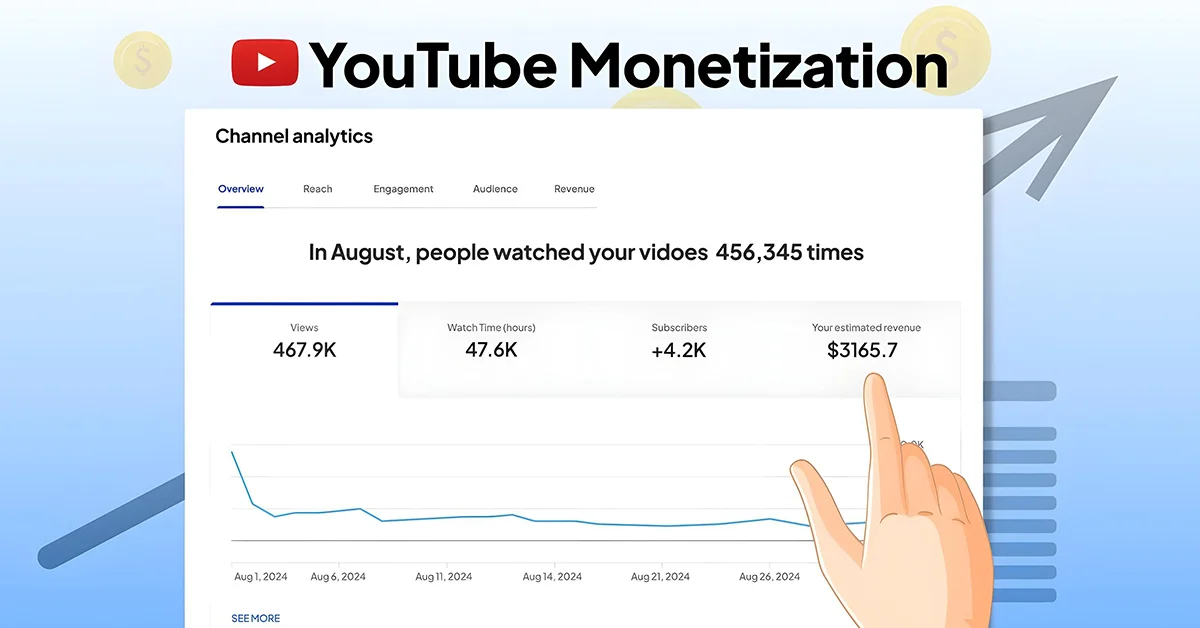
Once videos are live and monetized, analytics becomes the only honest read on what the channel is doing. The dashboard shows estimated earnings, ad performance, view counts, and audience demographics, all of which inform decisions that guesswork handles badly.
The most valuable use of that data is course correction. If the audience arriving is not the audience you intended to reach, either the content or the promotion needs adjusting, and analytics identifies which. Seeing which videos drive watch time and which lose viewers early tells you exactly what to make more of while climbing toward the next threshold.
Analytics also settles which revenue feature deserves your attention. A channel with heavy live-stream engagement should prioritize Supers; a channel with a small but devoted audience will earn more from memberships; a channel with high views but low interaction may find ads remain its main line. Measuring which model fits, rather than assuming, is the difference between the same effort producing modest returns or meaningful ones.
This article was last updated on 19 October 2026 monday. Today, 42 visitors read this article.