How Should Creators Use TikTok's Comment Features?
Polls, voice notes and photo carousels changed what a single comment can carry. Working out which one deserves your time is the harder question.

Use comment polls to plan content, voice comments where tone carries the information, and photo carousel comments to answer questions that text handles badly. Treat all three as audience tools rather than distribution tools. Nothing TikTok has published connects a comment format to how far a video travels.
TikTok's 3 September 2026 Newsroom announcement puts the daily figure at more than 1.7 billion comments. That number is why TikTok is rebuilding the comment section rather than leaving it alone. For a creator it means four new choices about how to answer people, each with its own cost in production time and audience attention.
Which Comment Format Actually Deserves Your Time?
Comment polls deserve your time first, because they are open globally and they produce something you can act on outside the app. Voice and photo formats are still spreading, and both cost more to produce than a typed reply. The order below reflects effort against return, not novelty.
Availability below reflects the 3 September 2026 Newsroom announcement, with one qualification from TikTok's Help Center article on comments, which marks photo upload as available in select regions.
| Format | Who Can Use It | Built-In Limit | Availability as Announced | Best Fit |
|---|---|---|---|---|
| Comment polls | The video owner only, commenting on their own video | Up to 5 options, adjustable voting window | Open globally | Creators planning a series or choosing between two directions |
| Voice comments | Accounts 18 and older | Up to 60 seconds per comment | Gradual global rollout over the following month | Language, music, coaching, any niche where delivery is the answer |
| Photo carousel comments | No age condition stated | Up to 9 photos in one comment | Gradual global rollout over the following month; Help Center marks photo upload as available in select regions | Visual proof, comparisons, before and after replies |
| Live Photo comments | No age condition stated | A brief burst of motion added to a still image | Open globally | Reaction replies and low-effort community moments |
Two of these deserve a habit and two deserve opportunistic use. Polls belong in your planning routine because they produce audience feedback you can file and reuse. The moving-image reply is the opposite, cheap and enjoyable with no output beyond the moment itself.
Why Do Polls Work as a Planning Tool Instead of a Conversation Tool?
Polls work as a planning tool because of a restriction most coverage skipped. The 3 September 2026 announcement states that creators can add a poll when commenting on their own video. That sentence stacks two limits. You must own the video, and you must be commenting on that same video.
You cannot drop a poll into someone else's comment section. You cannot poll your audience under a video that is not yours. If the poll icon is missing from your comment box, the most likely explanation is that you are typing under a post you did not publish. That single constraint changes the nature of the tool. A conversation tool works in both directions; a poll on TikTok only works in one, from the owner of a post outward to the people watching it.
What you get in return is a structured survey attached to a piece of content you already made. The announcement describes up to 5 options, a voting duration you set yourself, and results that update in the comment section in real time. TikTok frames the feature as a way of handing decisions to followers. That framing is accurate and it is also the limit of the feature: the poll asks, the audience answers, and nothing about the exchange is a dialogue.
Practically, treat a poll the way a researcher treats a short survey. Pin it to the top of the comment section. Options that lead to different work beat variations of the same answer, and a voting window that closes beats one running indefinitely.

How Do You Turn Poll Results Into a Content Calendar?
Turn poll results into a calendar by mapping each voting pattern to a scheduling decision before you run the poll, not after. Decide in advance what a clear winner means, what a close split means, and what low turnout means. Otherwise you end up with votes and no plan.
The routine itself is short:
- Write the five options as five separate videos you would genuinely be willing to make.
- Set the voting duration to close before your next filming day.
- Pin the poll comment and reference it once in a follow-up video.
- Record the result in whatever document holds your schedule, with the date.
Read the shape of the vote rather than the winner alone. The shape tells you more about content ideation than the top line does, and the mapping below is where most of the value sits.
| Poll Result Pattern | What It Tells You | Calendar Action |
|---|---|---|
| One option clearly ahead of the rest | Your audience has a settled preference and you have been guessing | Schedule it next and build a second video on the same theme |
| Two options close together | The theme is right, the framing is undecided | Make both, space them out, compare reply rate |
| Votes spread evenly across all five | The options were too similar or the question was too broad | Rewrite the question, do not schedule anything yet |
| An option you assumed was popular finishes last | A standing assumption in your content plan is wrong | Drop the recurring segment built on that assumption |
| Turnout well below your usual comment volume | The video itself did not hold attention long enough to reach the poll | Test the same poll on a stronger performing post |
One caveat belongs in every plan built this way. People who vote are already engaged enough to open your comment section, so they are not a neutral sample. A poll tells you what your most active viewers want, not what a first-time viewer wants, and treating the two as identical shrinks an audience while making you feel well informed.
Is a Voice Reply Worth 60 Seconds of Your Audience's Attention?
A voice reply is worth it only when the sound itself is the answer. The announcement puts the ceiling at 60 seconds, recorded by tapping the microphone icon in the comment box. Anyone who wants to hear it taps to play. That detail is the whole calculation, because a voice note is opt-in and a viewer decides your answer is worth unmuting before knowing what it contains.
A reader skims text in a moment. A voice note resists that, and the ceiling is 60 seconds of someone's time. The exchange only makes sense where a written version would lose the information, which narrows the useful cases considerably:
- Language and pronunciation, where spelling out a sound never works
- Music and singing, where a phrase has to be heard
- Coaching, therapy-adjacent and advice niches, where tone signals care
- Comedy, where timing is the joke
- Accent, dialect and regional content, where the voice is the subject
Two limits are worth planning around. The 3 September 2026 announcement ties voice comments to accounts 18 and older and describes a gradual global rollout over the following month, so part of your audience may not see the option. TikTok also documents no automatic transcript. A voice-only reply therefore shuts out anyone watching without sound and anyone who relies on text. Answer in text first, then add voice when the sound genuinely adds something.
Where Does the Photo Carousel Beat a Written Answer?
The photo carousel beats a written answer whenever the question is really a request for evidence. Up to 9 photos in a single comment, presented as a swipeable gallery, turns a reply into a small visual document. Anything you once answered with "check my other video" now fits inside the conversation where someone asked it.
Four reply types improve immediately. Before and after comparisons lose all their force in text. A sequence of photos settles the matter when someone doubts a result, and three images beat three paragraphs on a product or option comparison. Correction replies let you show what you actually meant instead of describing it again. The carousel keeps an answer attached to the question instead of sending people elsewhere.
Restraint matters more than capacity. A ceiling of 9 photos is a limit, not a target, and a reply that long stops reading like a reply. A shorter set usually carries the point, and the shorter version is the one people actually swipe through. TikTok also described the format as rolling out gradually rather than switched on for everyone, so build the habit as it reaches your account instead of planning a campaign around it today.
Do These Formats Change How Far a Video Travels?
No official TikTok source says that they do. TikTok's Transparency Center documentation on the recommendation system describes a process that predicts the probability a viewer will like, share, comment on or skip a video, then combines those prediction scores into an overall score for that video. The prediction is about viewer behaviour. It is not about the shape of the comment that behaviour produces.
TikTok's Newsroom explainer on how videos are recommended lists the comments you post among the user interactions the system takes into account. That sentence supports one claim only: commenting is an interaction the system counts. It does not say a comment containing a poll, a photo set or 60 seconds of audio counts differently from a plain line of text. The same explainer is unusually direct about a related myth, stating that neither follower count nor an account's previous high-performing videos are direct factors in the recommendation system.
Comment volume is the one part of a comment section every viewer can see without scrolling, which is why creators treat it as a lever. Creators who buy TikTok comments are adding to that visible layer, and the distinction matters. Volume is something viewers perceive. Placement is something a scoring system decides using inputs TikTok has described, and comment totals are not among the inputs it names.
| Claim | Status | What the Source Actually Says |
|---|---|---|
| A viewer's probability of commenting feeds a video's score | Documented | The Transparency Center describes prediction of like, share, comment or skip, combined into an overall score |
| Comments you post count as a user interaction | Documented | The Newsroom explainer lists posted comments among the interactions considered |
| Follower count is a direct ranking factor | Documented as not a factor | The same explainer states follower count and past high performers are not direct factors |
| Voice comments carry extra recommendation weight | Not documented | No TikTok source describes comment format as an input |
| Adding a poll improves For You placement | Not documented | The announcement frames polls as a way to hand decisions to followers |
| Photo carousel comments are prioritised over text comments | Not documented | Nothing in TikTok's published material addresses format weighting |
| Early users of a new format receive a temporary boost | Not documented | No published TikTok statement supports it |
The distinction changes how you use the tools. If these formats were a distribution advantage, the right strategy would be volume. Since they are not, the right strategy is fit, meaning you pick whichever format answers the question best.
How Can You Measure Whether Any of It Worked?
Measure by comparing a poll-derived video against your own recent posts, because TikTok does not publish per-format comment analytics. No documented dashboard shows how many people played a voice comment or swiped a carousel. Claims to the contrary are inference dressed as data.
What you can do is run a clean before-and-after on yourself. Set a poll with a fixed voting window so you have a firm date boundary. Publish the winning idea. Compare it against your own previous posts on reply rate and comment count, not against another creator's numbers, since you know nothing about their audience or history.
| What You Want to Know | Documented Tooling | What It Cannot Tell You |
|---|---|---|
| Whether the poll-derived topic outperformed your baseline | Post analytics in TikTok Studio | Whether the poll caused the difference |
| How active the comment section was | Comment counts, plus the engagement breakdown in post analytics where your account has it | Which format each comment used |
| Whether a voice note was actually heard | No documented tool exists | Play counts for individual voice comments |
| Whether a carousel answered the question | Reading the follow-up replies yourself | Anything numeric |
| Whether the poll changed what people ask you | Your own comment history over time | A causal link |
Set a review interval and stick to it. A handful of polls across several weeks will show whether the winners keep matching what performs, and that pattern is the only reliable signal available. If poll winners consistently underperform your instinct, the poll is measuring enthusiasm from a small group rather than demand from a wider audience.





What Not to Do With the New Comment Tools
Do not run a poll on every video. Frequency drains participation, and once voting becomes routine the results stop separating strong ideas from weak ones. Save polls for real forks in your plan, where you would otherwise be guessing between two options.
Three more habits cost creators more than they return. A voice comment carrying information that belongs in text asks for attention you have not earned yet. Nine images where two make the point bury the conversation under a gallery. And replies turn into a broadcast slot once every answer becomes a promotion for the next video. Community building works through specificity, and specificity is the first casualty when a reply becomes a format demonstration.
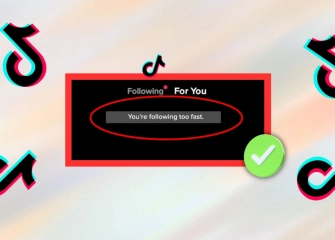
On the management side, the ordinary tools still apply to every new format. Keyword filters, the option to filter all comments for review, bulk actions covering up to 100 comments at a time, plus pinning and deletion all continue to work. Commenting too quickly can trigger a wait of up to 24 hours, which stalls a rapid reply session. The Community Guidelines published in April 2024 apply to a comment regardless of whether it is typed, spoken or made of photographs.
Finally, stay away from third-party automation panels and comment bots, and from methods that claim to work around age conditions or regional availability. Handing account credentials to an unofficial tool risks account restriction and breaches platform terms. TikTok endorses no such service, and none of them can guarantee an outcome. The features described here are the supported route, slower to build with and safer.
This article was last updated on 06 November 2026 friday. Today, 1 visitors read this article.