Is FaceTime Good for Business Meetings With Clients?
A FaceTime link opens in a browser on Android and Windows, but the guest gets a smaller call than you do. Here is where that line falls for client work.

A FaceTime link is good enough for a business meeting when the client only needs to see you and talk. It stops being enough the moment someone has to share a screen. That is the whole verdict on FaceTime for business meetings, and the rest of this piece works out where your own calls fall. Clients on Android or Windows can join from a browser, but they cannot start the call and they lose a few tools you take for granted.
Apple opened FaceTime to the web with iOS 15 and macOS Monterey in 2021, and the rules have barely moved since. According to Apple's support page, the guest needs the latest Google Chrome or Microsoft Edge, a strong connection, and a name to type. No Apple Account, no sign-in, no app.
Can Android and Windows Clients Join a FaceTime Link?
Android and Windows clients can join a FaceTime link from a web browser, as they have since iOS 15 and macOS Monterey arrived in 2021. What they cannot do is start a call, create a link, or install an official app, because Apple has never released FaceTime for either platform. So "can Android users join a FaceTime link" has a short answer; what they can do once inside takes longer to explain.
Apple's support page keeps the guest requirements short. The client needs an Android or Windows device, a strong Wi-Fi or cellular connection, and the latest version of Google Chrome or Microsoft Edge. The browser must also support WebRTC, and sending video needs H.264, per the iPhone User Guide. Firefox is not on the list, and the web page tells a Firefox user the browser is not supported. No Apple Account is involved; web guests join one-on-one and Group FaceTime calls without signing in.
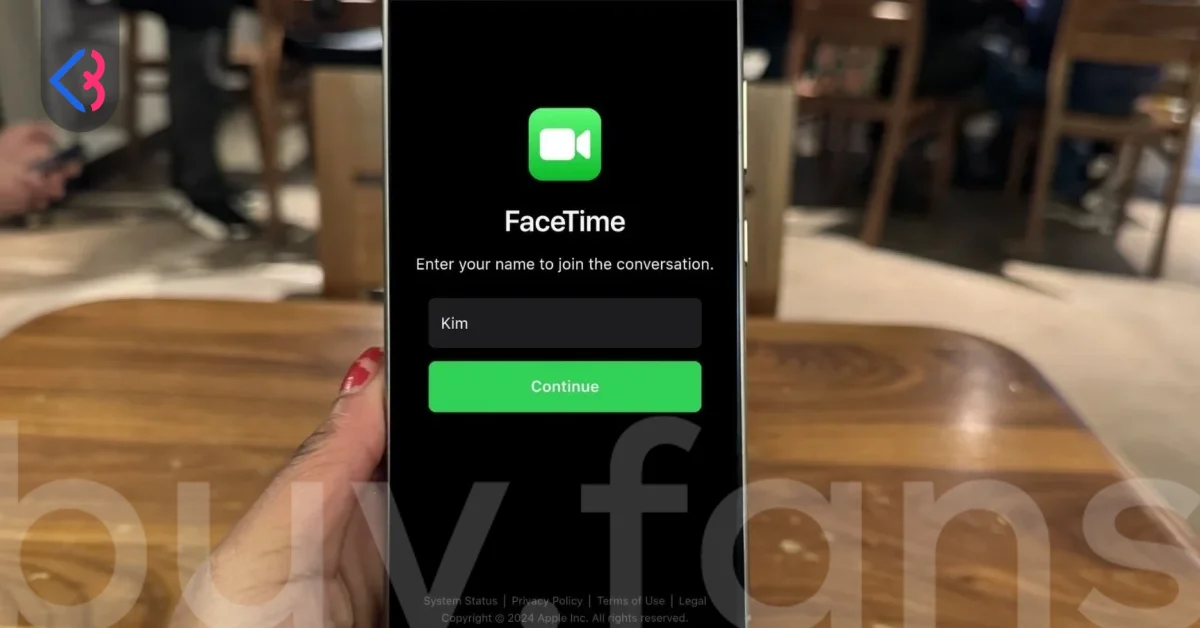
The client opens the link, types a name, chooses Continue, allows the camera and microphone, and chooses Join. Then a screen tells them they are waiting to be let in, and nothing happens until you admit them. Most guides skip that last step, and it is why clients think the link is broken.

What Does the Client Get on the Web and What Do They Lose?
A web guest gets the controls needed to hold a conversation and loses the tools needed to run a working session. Apple's support page lists what the browser version offers.
| Feature | Web guest on Android or Windows |
|---|---|
| Mute and Camera | Available |
| Full Screen and Flip Camera | Available if shown |
| Grid Layout | Available through the Participant List and Settings Menu |
| Copy Link and Share Link | Available under More |
| SharePlay and screen sharing | Not available |
| Starting a call or creating a link | Not available |
| Live Captions, effects, Portrait mode | Not described on Apple's web support page |
| Audio only | Possible by turning the camera off |
The screen sharing and SharePlay rows decide most business calls. Anyone searching for how to share a screen on FaceTime for Windows is looking for a feature the browser version does not have. Apple's support page also says nothing about joining as audio only; the practical route is to join with video and turn the camera off.
For a conversation, a check-in, or a review of a proposal you both have open, the web version holds up. For a screen walkthrough, it does not.
Is a FaceTime Link Secure Enough for Client Calls?
A FaceTime link carries the same end-to-end encryption on the web as it does between iPhones. Apple's 2021 announcement said privacy is not given up in the browser. The controls around the call, not the encryption, are the part that needs a client's attention.
Apple's privacy page for FaceTime describes the gate. A web guest enters a name and requests access, and nobody gets in until the host lets them in. That manual gate is what people mean by the FaceTime link waiting room. The link creator manages callers. Other participants on Apple devices can do the same after at least 30 seconds in the call. Either can remove a caller who joined at most 30 seconds ago. A removed caller cannot rejoin. The Mac User Guide spells out this 30-second rule, so act on an uninvited name the moment it appears.
| Question a client might ask | What Apple's documentation says |
|---|---|
| Is the call encrypted in the browser? | End-to-end encryption continues on the web, per Apple's 2021 announcement |
| How many people fit? | Up to 32 in Group FaceTime; one Apple security document says 33 concurrent |
| Does the link expire? | Nothing in the documentation says it does; Delete Link on a Mac ends access |
| Does it work everywhere? | FaceTime links are not supported in mainland China |
Neither official page says whether a browser guest counts toward that limit. As for "does a FaceTime link expire", nothing in the documentation says it does. A reused link stays open until you choose Delete Link on a Mac, after which the address opens to a message saying the call no longer exists.
When Is a FaceTime Link Enough for a Business Meeting?
A FaceTime link is enough for a business meeting when the call is small, the content is conversation, and nobody needs to share a screen. Match your meeting to a row below. The verdicts are blunt on purpose.
| Scenario | Verdict | Why |
|---|---|---|
| One-on-one client check-in | Send the link | Video, mute and camera are all the guest needs |
| Sales call with a voice-only client | Send the link | The guest turns the camera off; nothing to install |
| Coaching session | Send the link, with a caveat | Fine for talk and feedback; fails when the client must show a screen |
| Sponsor call with a screen walkthrough | Use a cross-platform meeting app | Screen sharing and SharePlay are not available to web guests |
| Community Q&A with many people | Use a cross-platform meeting app | Each guest is let in by hand and the cap is 32 or 33 |
| Recurring meeting through a Calendar link | Send the link | The link sits in the event as the location until you delete it on a Mac |
| Client in mainland China | Use a cross-platform meeting app | FaceTime links are not supported there |
FaceTime for clients works when the iPhone is your side of the table and the guest only has to show up. Community sessions are the clearest miss, because you are admitting guests by hand while trying to speak. The recurring Calendar link is the pleasant surprise, serving a weekly check-in for as long as you leave it in place.
Reading a client's document aloud or holding a phone up to the camera works fine on the web. The client showing you their own screen does not, which is the coaching caveat. Asking "can you use FaceTime for meetings" really means asking which rows your meetings sit in.
When Should You Use a Cross-Platform Meeting App Instead?
You should reach for a cross-platform meeting app the moment a client needs to share a screen, record the session, or join from a locked-down computer. FaceTime on the web was built for a guest who watches and talks. The triggers below all point away from the FaceTime link.
- Screen sharing in either direction, because Apple's support page rules it out for web guests.
- Recording, which Apple's web support page does not describe, so plan as if it is unavailable.
- Waiting-room control at scale, since each browser guest has to be let in by hand.
- A client who cannot install or update Google Chrome or Microsoft Edge on a work computer.
- A client who expects a phone dial-in number, which FaceTime on the web does not offer.
If the client is on Windows, including Windows 11, the browser link is the only official door. Apple has never shipped a FaceTime app for Windows, and there is no sign-in page to look for. The same is true on Android. Anything sold as a "FaceTime for Android" or "FaceTime for Windows" download is not from Apple and should be treated as a risk, not a shortcut.
How Do You Send a FaceTime Link That Clients Can Actually Open?
A FaceTime link for business opens on the first try when you create it on the right device, send it where the client will look, and name the browser. The menu path depends on your software version.
| Your device | Where to create the link | How to send it |
|---|---|---|
| iPhone on iOS 26 | FaceTime, then New Call, then Create Link | Messages or Mail from the options that appear |
| iPhone on iOS 15 to iOS 18 | Create Link at the top of the FaceTime screen | Messages, Mail or another sharing option |
| iPad | New, then the contact field, then the link icon | Share from the same sheet |
| Mac | New, then Create Link | Share Link from the call info during a call |
| Calendar on iPhone or Mac | Add the FaceTime link as the event location | Inside the invitation |
The iOS 26 path runs through New Call; on iOS 15 through iOS 18, Create Link sits at the top of the FaceTime screen, according to the iPhone User Guide. For a scheduled meeting, put the FaceTime link into the Calendar event as the location so it travels with the invitation.
Where the client opens the link matters as much as where you made it. Ask for Google Chrome or Microsoft Edge, since the built-in browser inside a messaging app is not on Apple's list. Then stay near your phone or Mac at the start time, because the client will choose Join and wait until you let them in. A link nobody answers looks exactly like a link that failed.








What Should You Tell a Client Before the Call?
Telling a client what to expect before the call removes most of the messages you would otherwise get. The web version asks a guest to do a few unfamiliar things, and a short note in the invitation covers all of them.
- Open the link in the latest Google Chrome or Microsoft Edge, not inside another app.
- Allow the browser to use your camera and microphone when it asks.
- Type your name, choose Continue, then choose Join.
- Wait to be let in; the host has to admit you.
- Screen sharing is not available on your side, so send any files before the call.
- For audio only, join with video and then turn the camera off.
- Choose Leave when the call ends.
- If the page says the call no longer exists or the request was declined, ask for a fresh link.
Keep the note in your Calendar template and you will never rewrite it. So is FaceTime good for meetings with clients? For a conversation, that note is all the preparation the other side needs. Send the FaceTime link for talking, listening and looking at each other, and book a cross-platform meeting app for anything that has to happen on a shared screen.
This article was last updated on 02 November 2026 monday. Today, 1 visitors read this article.